

Before you automate: what we’ve learned building AI agents for communities
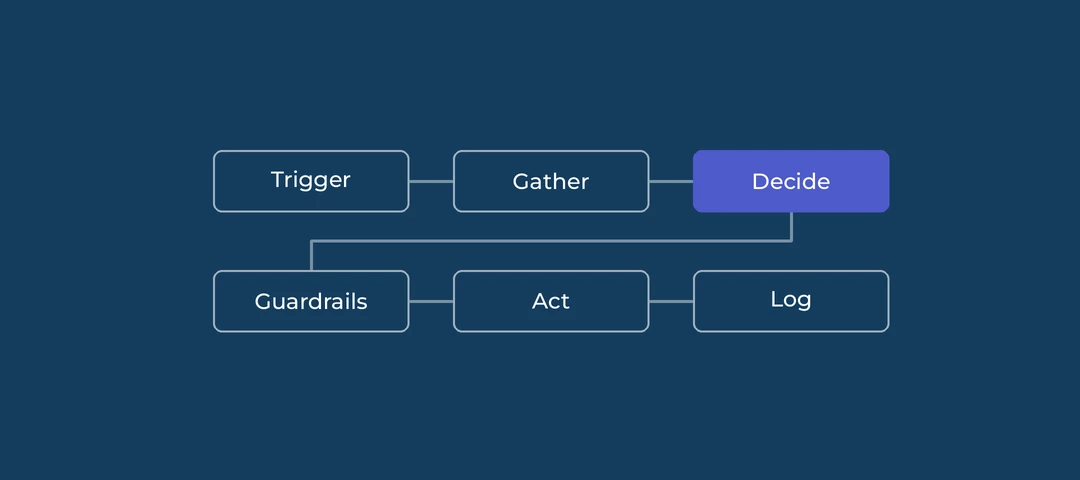
AI can take a lot of repetitive work off a community team. It can also post the wrong thing in public, under your name, at scale. Most of what follows is about getting the first without the second.
1. Pick the right first task
Your first automation should be boring. Look for a task that's narrow, repetitive, happens often, and is cheap to get wrong.
Answer detection is a good example. The agent checks open questions, and if a reply already solves the problem, it marks the answer or asks the member to confirm. If it gets one wrong, a moderator can fix it in a few seconds.
Bad first tasks are anything involving billing, security, account data or member complaints. Save those for later, or keep a person in the loop permanently.
2. The model recommends, code decides
This is the most useful rule we have. The AI model never touches your community directly. It reads a thread, returns a recommendation in a fixed format, and a script checks that recommendation before anything happens.
So rules that must always hold go in code. "Never act on more than 20 threads per run." "The quote the model gives must actually appear in the thread." "Never nudge the same person twice." Models are good at judgment and bad at following hard rules every single time, so don't rely on the prompt for those.
Judgment goes in the prompt: is this a real question, does this reply answer it, did the asker confirm.
3. Start with a dry run
Before the agent writes anything, run it in dry-run mode. It logs what it would do and changes nothing.
Take 30 to 50 real threads from your community, ideally a mix of easy and messy ones. Decide yourself what should happen with each, then compare with the agent. Count how often you agree, and read every case where you don't. Those disagreements tell you what to change in the prompt.
Expect a well-tuned agent to do nothing most of the time. In our test community it left 73 of 82 open threads alone. That's intended. A cautious agent that rarely acts is far easier to trust than a busy one.
4. Move up the trust ramp
Don't jump from dry run to fully automatic. Move through stages, and only go up once the current stage has earned it.
| Stage | What the agent does | Move on when |
|---|---|---|
| 0. Dry run | Logs decisions, writes nothing | You agree with most decisions on a sample |
| 1. Review queue | A person approves each action | Approval rate stays high over a set period |
| 2. Low-risk actions only | For example nudges, but no marked answers | Few complaints, and you can see an effect |
| 3. Full actions on clear cases | For example marks only asker-confirmed answers | Spot checks show close to no errors |
| 4. Monitor | Weekly spot checks, alerts, easy rollback | Ongoing |
Write down your exit criteria before you start each stage. It's too easy to move up because things "seem fine".
5. Plan for undo
For every action the agent can take, know how you'd reverse it before you switch it on. Unmarking an answer is easy. Deleting a reply a member got notified about is not, because the notification already went out.
Some actions should never be automated beyond manual approval, because there's no way back. Permanent deletes and merging idea votes are the obvious ones.
6. Data and approvals
When the agent reads a thread, that content goes to an AI model. Check a few things first:
- Which AI tools and models your IT team has approved, and under what data terms
- Whether community content may be sent to a model at all (private groups especially)
- Who else needs to agree. Often that's IT, legal and your support team, since the agent's actions affect their queue
Sort this out before you touch real data, not after.
7. Decide who owns it
Someone's account has to post the nudges and mark the answers. If it's yours, members see your name, so the wording should sound like you.
Think about what happens when that person changes role or leaves. Their name stays on every past nudge, and the agent needs a new owner and new credentials. Write down who owns the agent, who reviews the logs, and how often.
8. Tell your members
Members don't need technical details, but they should know AI is involved. A short line in your community guidelines is enough, for example: "We use an automated assistant to spot answered questions and remind askers to mark them. A team member reviews its decisions." Adjust it to whatever's actually true for your setup.
9. Measure it
Pick two or three numbers before you start and measure them for a few weeks first, so you have a baseline. For answer detection that could be:
- Share of questions with a marked answer
- Average time to a marked answer
- How often members respond to a nudge
Then check the same numbers after each stage of the trust ramp. If they don't move, the automation isn't worth the risk, however clever it looks.
Want help getting started? This article has a working example you can adapt.